Blog

How to set up iptv o firestick
Blog

How to Set Up IPTV on Firestick

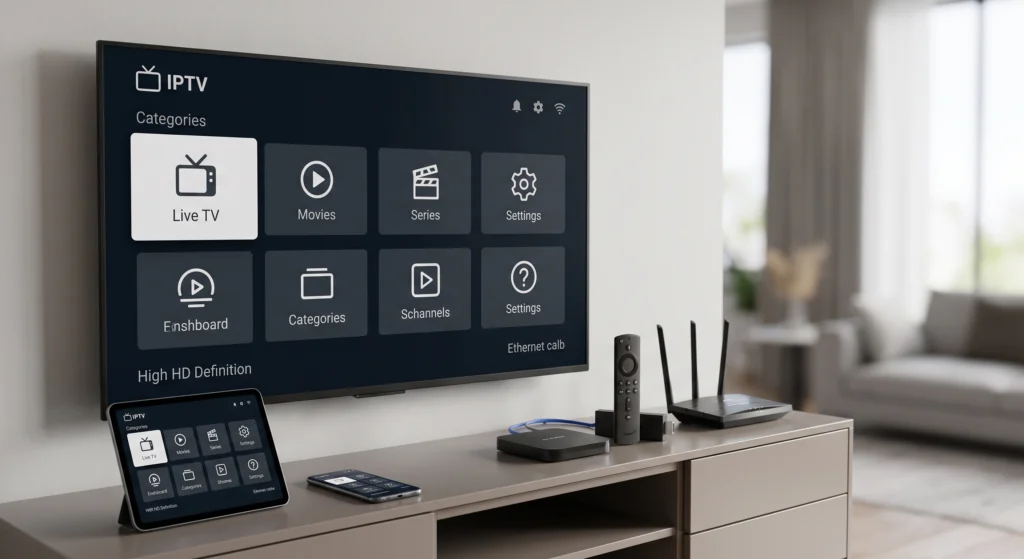
If you want to watch live TV, sports, news, or on-demand content through IPTV on your Firestick, the process can be simple, but only if you follow the right setup path. A lot of guides make it seem more complicated than it really is, or they push sketchy apps that create more problems than solutions. The better approach is to use a legal IPTV provider, install apps from the official Amazon Appstore when possible, and make sure your Firestick is optimized before you start. Amazon’s official Fire TV help pages confirm that Fire TV supports app downloads, software updates, and app cache management, while Amazon Silk is available on Fire TV for browser-based access. VLC for Fire is also officially available in the Amazon Appstore and supports network streaming protocols. Your IPTV service will be provided within 30 minutes. Buy IPTV Service 4K Elite IPTV What IPTV Means on Firestick IPTV stands for Internet Protocol Television, which means television content is delivered over the internet instead of through traditional cable or satellite systems. On a Firestick, IPTV usually works in one of three ways: through your provider’s dedicated Fire TV app, through a web portal opened in Silk Browser, or through a trusted media player that can handle network streams or playlist files. VLC for Fire is one of the most commonly used legitimate player options because Amazon lists it in the Appstore and describes it as supporting multimedia files and network streaming protocols. VideoLAN’s documentation also explains that playlist formats such as M3U are commonly used to organize streaming sources. What You Need Before You Begin Before setting up IPTV on Firestick, make sure you have a few essentials ready. First, you need a working Firestick or Fire TV device with a stable internet connection. Second, you need an active account with a legal IPTV provider. Third, you need your login details, activation code, or playlist URL, depending on how your provider delivers service. It is also smart to clear out unused apps if your Firestick is low on storage, because streaming apps tend to work better when the device has enough free space and fewer background issues. You should also update the Firestick before installing anything. This is one of the simplest ways to avoid app crashes, compatibility issues, and playback problems later. Amazon’s official Fire TV support confirms you can manually check for system updates from device settings. Step 1: Update Your Firestick Software Start by updating the Fire TV operating system. On your Firestick, go into the settings menu, open the device or system section, and look for the option to check for updates. If an update is available, install it before moving on. This step matters more than most people realize. An outdated Firestick can cause app login failures, streaming instability, audio sync issues, or random crashes that have nothing to do with your IPTV provider. By updating first, you give yourself the best chance of a smooth setup from the start. Amazon’s official help pages specifically advise using the built-in “Check for System Update” option to install the latest Fire TV software. Step 2: Install Your IPTV App from the Amazon Appstore The easiest and safest way to set up IPTV on Firestick is to install your provider’s official app directly from the Amazon Appstore. From the Fire TV home screen, use the search function to look up your provider’s app by name. If it appears in the Appstore, download and install it. This is the cleanest setup because it usually gives you a proper TV-friendly interface, easier navigation, and automatic support for your provider’s account system. Amazon’s Fire TV help hub includes official support for downloading apps on Fire TV devices, which is the recommended route whenever the app exists. Once the app is installed, open it and enter the login details your provider gave you. In many cases, that will be a username and password. Some services use an activation code instead. Others may ask for a portal URL along with your credentials. Follow the exact formatting your provider supplied. One small typo is often enough to make the login fail. Step 3: Use a Trusted Player if Your Provider Gives You a Playlist Some IPTV providers do not offer a dedicated Firestick app. Instead, they may provide a playlist URL or file, often in M3U format. In that case, you need a player that can handle that type of stream. VLC for Fire is one legitimate option because Amazon’s Appstore listing says it supports network streaming protocols, and VideoLAN’s documentation explains that M3U is a playlist format used to point to media locations line by line. After installing VLC for Fire from the Amazon Appstore, open the app and add the stream or playlist information exactly as provided by your IPTV service. This method can work well for users who want a lightweight player rather than a provider-branded interface. It is especially useful when the service gives you direct streaming credentials but no dedicated Fire TV software. Step 4: Use Silk Browser if Your IPTV Provider Has a Web Portal Another common setup method is browser access. Some IPTV services provide a website where you log in and stream directly, without needing a separate app. In that case, you can use Amazon Silk on Firestick. Amazon’s official Silk documentation confirms that Silk is available on Fire TVs and is actively maintained as Amazon’s web browser for Fire devices. That makes it a practical option for IPTV providers that rely on web-based dashboards or browser playback. To do this, open Silk on your Firestick, type in the provider’s official portal address, and sign in with your credentials. If the portal works well, bookmark it so you can open it faster in the future. This method is not always as polished as a native app, but it is often the easiest fallback when your provider is web-first. Step 5: Improve the Viewing Experience Once your IPTV is running, spend a few minutes

IPTV SERVICE a family using a smart TV and tablet at home
Blog

IPTV Service: How to Choose a Reliable, Legal, and 4K-Ready Option

Searching for the right iptv service can feel simple at first, then confusing very quickly. One provider promises thousands of channels. Another highlights 4K quality. A third talks about instant activation, sports coverage, and nonstop support. But the real question is not which homepage sounds the most exciting. The real question is which iptv service actually delivers smooth playback, works on your devices, offers clear support, and operates in a way you can trust. That is exactly what this guide is here to solve. Below, you will learn what an iptv service really is, why so many viewers prefer it to older TV setups, what kind of internet speed you need for a stable experience, and how to compare providers without falling for inflated promises. By the end, you should know how to choose an iptv service that is reliable, modern, and worth paying for. ⚽ Watch the 2026 FIFA World Cup Live in 4K 🔥 Buy the Best IPTV Service Now What Is IPTV Service? In simple terms, an iptv service delivers television and video through an internet connection instead of relying only on traditional broadcast, cable, or satellite delivery. In practice, IPTV commonly combines live TV, video on demand, and replay or catch-up viewing. Modern delivery methods such as HTTP Live Streaming are designed for live and on-demand media over ordinary web servers and CDNs, which is one reason internet-based viewing now feels so seamless across devices. That flexibility matters because viewers no longer watch from one screen in one room. YouTube’s official support documentation shows how broad modern streaming compatibility has become, spanning smart TVs, phones, tablets, Apple TV, Roku, Fire TV, browsers, and game consoles. A strong iptv service fits naturally into that multi-device lifestyle, letting users move from the living room to a tablet or phone without rethinking the whole setup. The important thing to remember is that IPTV is not just “TV over the internet.” A quality iptv service is a complete viewing experience. It should combine stable streaming, intuitive navigation, useful content categories, dependable support, and transparent account policies. That is what separates a smooth everyday service from a frustrating one. Benefits of IPTV Service The first major benefit of an iptv service is convenience. Instead of being tied to one cable box or one television, viewers can often use compatible apps or streaming interfaces across several devices. For families, travelers, or people who like to watch content in different rooms, that kind of flexibility is a huge upgrade over older TV habits. A second benefit is control. Many users prefer an iptv service because it puts live channels, on-demand entertainment, and catch-up viewing closer together in one experience. Instead of planning your evening around a rigid schedule, you can switch between a live event, a film library, or recently aired content more naturally. That makes the viewing experience feel more personal and less restrictive. A third benefit is picture quality when the network and provider are both strong. Netflix recommends 15 Mbps or higher for 4K playback, while YouTube lists about 20 Mbps sustained speed for 4K UHD. The FCC’s broadband guidance also emphasizes looking at total household use, not just the headline speed on an internet ad. In real life, the best iptv service still depends on having enough bandwidth for your household’s total activity, not just a single isolated stream. Cost is another reason the keyword iptv service is so competitive in search. Depending on licensing, features, and regional availability, streaming-first TV services can feel more efficient than older-style TV bundles. But price should never be the only decision factor. A low-cost plan is not a bargain when the stream buffers during a live match, the interface is frustrating, or customer support vanishes after payment. Why Legal and Transparent IPTV Matters One of the most common buying mistakes is focusing only on channel count. A giant number sounds impressive, but it does not tell you whether the service is stable, well-supported, clearly documented, or legally reliable. When comparing any iptv service, transparency matters just as much as features. That is especially true because illegal streaming is not just a copyright issue. WIPO warns that users of illegal streaming sites and apps can face malware, identity theft, and ransomware risks, and it explicitly directs fans to legal sources for live sports. Europol also announced in late 2024 that authorities had targeted a major illegal IPTV network involving 102 suspects and more than 22 million users worldwide. Those are strong reminders that viewers should look for legitimate services with clear policies rather than vague, hype-heavy offers. A trustworthy iptv service should make its basics easy to find. That includes terms of service, privacy information, refund rules, device compatibility, support details, and a clear explanation of what the customer is actually buying. When those pages are missing, buried, or unclear, treat that as a warning sign rather than a minor oversight. How to Choose the Right IPTV Service Start by asking a simple question: does this provider look like a real business? Before comparing fancy features, check whether the site clearly explains billing, setup, support, and customer rights. A polished design is not enough. A reliable iptv service should be easy to understand before money changes hands. Next, compare providers based on how you actually watch. Are you mostly interested in sports? International channels? Family entertainment? Movies and series? Local-language content? A common mistake is choosing the provider with the biggest catalog instead of the one with the most relevant catalog. The right iptv service is not always the biggest. It is the one that fits your routine. Device compatibility is another deal-breaker. Even the best-looking offer becomes frustrating if it performs poorly on your preferred screen. Since major streaming environments now support smart TVs, Apple TV, Fire TV, tablets, phones, and game consoles, it makes sense to shortlist only services that match the devices your household already uses. That makes setup easier and improves long-term satisfaction. Internet speed deserves a reality

IPTV streaming services 2026 showing live TV, sports, movies and 4K IPTV setup
Blog

Best IPTV Service in the USA: Top Providers of 2026

Looking for the best IPTV service in the USA? Discover top IPTV providers with high-quality streaming and great pricing in 2026. This guide will help you understand why IPTV is the best alternative to traditional cable TV, offering more channels, better pricing, and exceptional streaming quality. Why IPTV is the Best Choice in 2026 In 2026, IPTV services have continued to dominate as the preferred choice for TV streaming. With internet speeds improving and more content becoming available online, IPTV has revolutionized the way we watch television. Unlike traditional cable, IPTV delivers content via the internet, offering a more flexible and affordable way to enjoy TV, movies, and sports. Buy IPTV Service 4K Elite IPTV What Makes the Best IPTV Service in The USA Stand Out? When looking for the best IPTV service USA has to offer, it’s important to evaluate the following factors: 1. Wide Channel Selection The best IPTV services provide a broad selection of channels, including live sports, premium movie channels, and international content. With the best IPTV providers, you won’t miss out on any of your favorite shows. 2. High-Quality Streaming Streaming quality is a critical factor when choosing an IPTV service. Look for services that offer HD and 4K streaming, as well as minimal buffering and fast load times. 3. Affordable Pricing Unlike expensive cable bills, IPTV subscription plans offer great value. For the price of a cable package, you can access far more content with IPTV, making it the affordable choice for most households. 4. Compatibility with Devices Whether you’re using a Smart TV, a smartphone, or a laptop, the best IPTV services allow you to enjoy your content on multiple devices, providing flexibility and convenience. 5. Great Customer Support Reliable customer service is essential for any service provider. The best IPTV services offer responsive and knowledgeable customer support to help with installation, troubleshooting, and account management. Frequently Asked Questions (FAQ) 1. What is IPTV? IPTV (Internet Protocol Television) is a digital TV service delivered over the internet rather than through traditional satellite or cable methods. IPTV allows you to watch live TV, on-demand content, and sports on a variety of devices. 2. Why should I choose IPTV over cable? IPTV offers more flexibility, better pricing, and a wider selection of channels compared to traditional cable TV. With IPTV, you can stream content in HD and 4K, all at a fraction of the cost. 3. Is IPTV legal in the USA? Yes, IPTV is legal in the USA as long as you subscribe to a legitimate service provider. Be sure to choose a reputable provider to avoid unauthorized content. 4. Can I watch sports with IPTV? Yes! Many of the best IPTV services include access to live sports channels, allowing you to watch your favorite teams and events in real-time. 5. How do I get started with IPTV? Getting started with IPTV is easy! Simply choose a subscription plan from a trusted provider, install the IPTV app on your device, and enjoy streaming your favorite content. Conclusion: Buy IPTV Service for the Best Streaming Experience Looking for the best IPTV service USA has to offer? Don’t wait—upgrade your viewing experience with IPTV today. With more channels, superior streaming quality, and flexible pricing, IPTV is the future of television. Buy IPTV service now and experience the next level of entertainment. Visit https://buyiptvservice.online to explore our IPTV subscription plans and find the perfect one for you.

WHAT IS IPTV
Blog

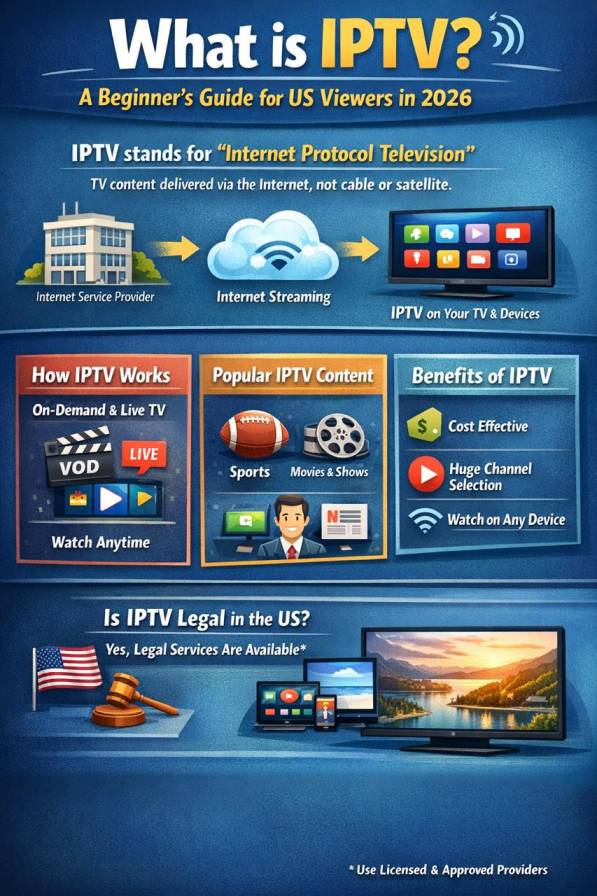
What Is IPTV?

What Is IPTV? A Beginner’s Guide for U.S. Viewers in 2026 If you’re searching what is IPTV USA 2026, the simple answer is this: IPTV stands for Internet Protocol Television, which means TV content is delivered through IP networks instead of traditional broadcast, cable, or satellite signals. In practical terms, video is stored or prepared on servers, then sent to your device as a stream of data packets over the internet or a managed IP network. That matters because IPTV gives viewers a more flexible way to watch content. Instead of being tied only to a fixed schedule, users can often access live TV, catch-up content, and video on demand from connected devices like smart TVs, streaming boxes, smartphones, tablets, and set-top boxes. Technically, IPTV is usually associated with controlled or managed network delivery, while broader streaming services often run as OTT services over the public internet. What is IPTV? At its core, IPTV is just television delivered using internet protocol. The “IP” part refers to the same networking system used to route data across the internet. That means your TV content is delivered much like other online data: it is broken into packets, routed to the right destination, and played back on your device. For the average viewer, IPTV feels modern and convenient. You open an app or service, choose a channel or show, and start watching. Behind the scenes, the system is doing much more than traditional TV: it is managing digital delivery, user requests, content playback, and device compatibility in real time. To discover a modern IPTV experience, visit https://buyiptvservice.online/ How does IPTV work? IPTV works in a few simple steps. First, the TV channels or video content are collected from content sources. Next, the content is encoded into a digital format that can be delivered online. Then it is stored or prepared on servers. When the viewer presses play, the service sends that video stream across an IP network to the selected device. Finally, the app, smart TV, or set-top box decodes the stream and displays it on screen. Because streaming sends media continuously from server to client, the player usually buffers a few seconds ahead to keep playback smooth. In many IPTV environments, multicast technology can also help distribute one stream to many viewers efficiently, which helps conserve bandwidth for live channels. Main types of IPTV services Most IPTV platforms are built around three main content formats. Live TV lets users watch channels in real time, similar to traditional television.Time-shifted TV allows viewers to replay recently aired content, often called catch-up TV.Video on Demand (VOD) gives users access to movies, series, or programs whenever they want to watch. This combination is one of IPTV’s biggest advantages. Instead of choosing between scheduled programming and on-demand viewing, users can enjoy both in one service. IPTV vs cable, satellite, and streaming The biggest difference between IPTV and traditional TV is the delivery method. Cable and satellite depend on dedicated broadcast infrastructure, while IPTV uses IP-based delivery. Compared with general streaming, IPTV is often designed around a more managed environment, which can offer tighter control over quality and service consistency. For viewers, that often translates into a better user experience: app-based access, multi-device viewing, interactive program guides, and more control over when and how content is watched. For businesses, it creates a stronger digital model that supports flexible packages, account-based access, and easier service updates. What do you need to use IPTV at home? Getting started with IPTV is usually simple. In most cases, you need a stable internet connection, a compatible device, and access to an IPTV app or service. That device might be a smart TV, streaming stick, phone, tablet, laptop, or IPTV box connected through your router or Wi-Fi. Connection quality still matters. Streaming works by sending content continuously in small chunks, so poor bandwidth or unstable Wi-Fi can lead to buffering, delays, or lower picture quality. Is IPTV legal and safe in the U.S.? IP-delivered video operates within a real U.S. regulatory environment. The FCC notes that a large portion of IP-delivered video programming is covered by captioning and accessibility rules, showing that internet-delivered video is part of an established communications framework in the United States. For your website, that means your brand positioning should stay clear and professional: emphasize licensed content, reliable uptime, transparent support, and device compatibility. That builds trust and keeps the article useful for beginners without drifting into risky territory. Why IPTV matters in 2026 In 2026, people want TV that fits the way they already live online. They expect content to work across devices, load quickly, and give them more control than old-school TV ever did. IPTV answers that need by blending the familiarity of television with the flexibility of internet delivery. For first-time visitors to your website, this topic is ideal because it solves their first question before they move on to harder buying questions like pricing, setup, legal concerns, and provider comparisons. Final thoughts So, what is IPTV? It is television delivered over internet protocol networks rather than traditional broadcast systems. How does it work? Content is encoded, stored or prepared on servers, then streamed to a connected device whenever the user selects a channel or program. For beginners, IPTV means more flexibility, more device choice, and a more modern viewing experience. For your business, it is a strong top-of-funnel SEO topic that can attract users who are just starting to learn about internet-based TV. FAQ section Is IPTV the same as Netflix? Not exactly. Netflix is mainly an OTT video-on-demand service over the public internet, while IPTV usually refers to IP-delivered television services that may include live channels, catch-up TV, and VOD. Do you need a satellite dish for IPTV? No. IPTV uses IP network delivery rather than satellite dish transmission. Why does IPTV buffer? Buffering happens because the player loads a few seconds of content ahead of playback. Slow internet, congestion, or weak Wi‑Fi can make buffering worse

Scroll to Top