
Finding a consistent streaming setup often comes with frustration. Many users switch from traditional cable only to run into unannounced stream cutoffs, constant buffering loops during live sports broadcasts, or playlists that fail to load on their preferred media player.
Choosing the right iptv service provider requires looking past inflated marketing claims and evaluating actual infrastructure: server response times, connection protocols, device compatibility, and responsive technical support. This guide outlines how to assess a provider, verify compatibility with your hardware, and ensure you get smooth playback on your home network.
🚀 Ready for Stable, High-Speed 4K Streaming?
Test zero-buffer streaming with full EPG support, Xtream Codes API integration, and fast activation.
Table of Contents
What Defines a Reliable IPTV Service Provider?
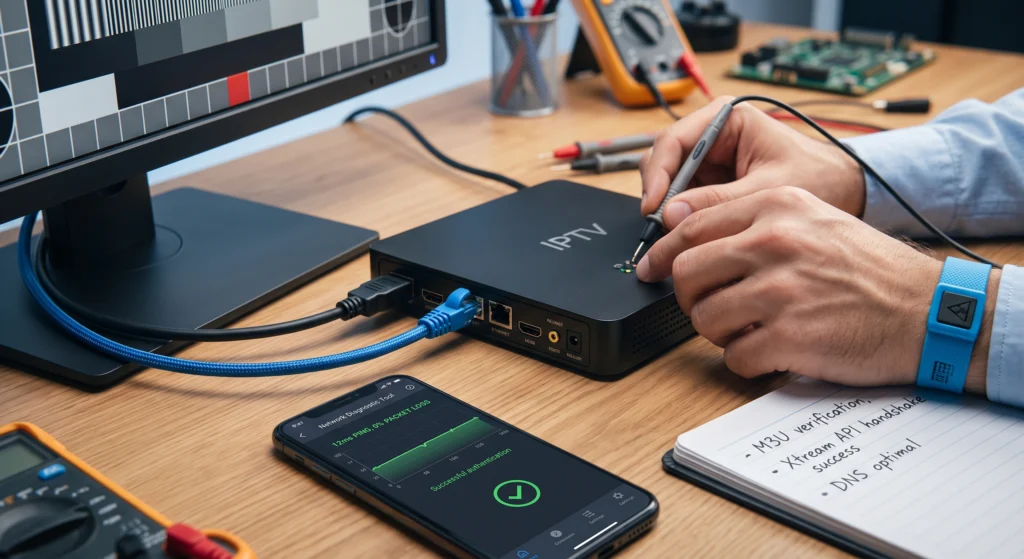
An IPTV provider delivers television programming and video on demand over Internet Protocol networks instead of legacy satellite or cable feeds. To understand how the underlying delivery mechanism works, review our breakdown on what is IPTV.
A high-performing provider relies on robust content delivery networks (CDNs) with balanced server loads. When evaluating a service, prioritize these four technical pillars:
- Server Redundancy: Providers with multi-server routing prevent network bottlenecks during peak viewing hours, such as championship sporting events.
- Authentication Standards: Support for both standard M3U playlists and Xtream Codes API credentials allows you to use dedicated third-party media players.
- Stream Quality and Codec Support: Efficient H.264 and H.265 (HEVC) stream compression delivers crisp 1080p and 4K video feeds without consuming excessive bandwidth.
- EPG Integration: A reliable Electronic Program Guide (XMLTV format) ensures channel listings, schedules, and program descriptions sync accurately.
Select Your Streaming Platform
Choose direct subscription access or explore our dedicated entertainment streaming portal.
Critical Evaluation Factors: Feature Breakdown
Before committing to a long-term subscription, compare how different service tiers manage bandwidth, hardware authentication, and media libraries.
| Feature Category | High-Quality Provider Standard | Low-Tier / Budget Reseller |
| Connection Protocol | Xtream Codes API + M3U URL + EPG URL | Single static M3U URL only |
| Server Response Time | < 150ms playlist handshake | Slow initial connection / timeouts |
| Supported Players | TiviMate, IPTV Smarters, XCIPTV, OTT Navigator | Proprietary, ad-supported apps only |
| VOD & Catch-Up | Regularly updated library with working subtitles | Broken links and out-of-sync audio |
| Live Sports Streams | 50/60 FPS high-bitrate options | 25/30 FPS feeds prone to motion blur |
| Customer Support | Direct ticketing / live configuration help | No technical contact available |
If on-demand movies and missed-show features matter to your household, explore our review of the best IPTV services for VOD and catch-up TV to understand how server storage impacts on-demand streaming quality.
Protocol Compatibility: M3U Playlists vs. Xtream Codes API
When you register with a provider, you will receive connection credentials. Most modern streaming hardware handles two primary methods:
1. Xtream Codes API
Xtream Codes API is the preferred setup standard for modern media players. Instead of entering an unwieldy playlist URL, you input three parameters:
- Server URL (Base address and port)
- Username
- Password
This method allows your streaming app to separate Live TV, Movies, and Series into distinct databases, speeding up navigation and category loading.
2. M3U Plus Playlists
An M3U file or URL contains direct stream links along with channel metadata tags (tvg-id, tvg-name, tvg-logo). M3U playlists are universal and compatible with lightweight media players, though they can take longer to reload if the channel index is exceptionally large.
Device Compatibility and Setup
A dependable provider should work across your existing hardware without requiring proprietary locked boxes.
- Amazon Fire TV / Firestick: Excellent price-to-performance ratio for streaming. Follow our step-by-step tutorial on how to set up IPTV on Firestick to configure your player via the Downloader utility.
- Android TV & Google TV Devices: Devices like the Chromecast with Google TV or Nvidia Shield offer native player support. Refer to our guide on how to install IPTV on Android TV for direct installation from the Google Play Store.
- Smart TVs (Samsung Tizen / LG webOS): Smart TVs can run dedicated apps like Smart STB or IPTV Smarters. Read our walkthrough on configuring IPTV on Smart TV for setup details.
- MAG & Formuler Set-Top Boxes: Dedicated IPTV set-top boxes utilize MAC address portal authentication for a traditional cable-like interface.
Network Requirements and Avoiding Playback Buffering
Stream stuttering and audio desync often stem from home network configuration rather than server outages. Ensure your local setup meets these baseline conditions:
- Bandwidth Headroom: Standard definition requires approximately 5 Mbps, Full HD (1080p) needs 15–25 Mbps, and high-bitrate 4K streams require 35–50 Mbps of stable downstream speed.
- Prefer Wired Ethernet: Wi-Fi signals suffer from packet loss, wall attenuation, and channel congestion. An Ethernet cable provides consistent data delivery.
- Configure Custom DNS: Default ISP DNS servers can suffer from high latency or sporadic resolution delays. Switching your router or streaming device to Cloudflare (
1.1.1.1) or Google Public DNS (8.8.8.8) often resolves connection drops.
For higher bandwidth setups, check our breakdown of top-tier 4K IPTV providers to see recommended network configurations for ultra-high-definition feeds.
Legal and Regional Considerations
Streaming regulations vary significantly across jurisdictions. Before subscribing to any platform, it is essential to understand the regulatory framework governing digital streaming in your area. For viewers in North America, we break down applicable legal standards in our guide: Is IPTV legal in the USA for personal use?
Choosing Your Next Steps
Selecting a suitable iptv service provider comes down to verified server stability, clean channel organization, and compatibility with your streaming hardware.
If you are ready to set up your home system with broad device compatibility, dedicated connection support, and responsive streaming servers, check out our available IPTV service options or explore regional configurations in our guide to the best IPTV service in the USA.
SEO FAQ
What internet speed do I need for an IPTV service provider?
For stable 1080p live streaming, a steady download speed of at least 20 Mbps per device is recommended. For 4K UHD streams, ensure your connection maintains 40–50 Mbps with low packet loss.
What is the difference between M3U and Xtream Codes API?
An M3U file is a text-based playlist URL containing channel web addresses. Xtream Codes API uses a structured server URL, username, and password, which loads faster and automatically organizes Live TV, Movies, and Series categories within compatible apps.
Can I use my IPTV subscription on multiple devices at the same time?
Simultaneous streaming depends on your subscription tier. Most standard connections support one active stream at a time, while multi-connection plans allow concurrent streams across different rooms.
Why does my stream buffer even with high-speed internet?
Buffering is often caused by local Wi-Fi interference, ISP routing congestion, high server latency, or unoptimized DNS servers. Connecting via Ethernet and switching to public DNS (such as 1.1.1.1 or 8.8.8.8) often resolves local playback stutter.