
Selecting a dependable Internet Protocol Television (IPTV) provider requires looking past surface-level marketing claims like “thousands of channels” and evaluating the underlying streaming infrastructure. A high-performance IPTV setup relies on robust content delivery networks (CDNs), optimized transport protocols, efficient video codecs, and client-side hardware decoding.
This guide outlines the critical technical parameters—including network throughput benchmarks, server protocols, API authentication methods, and player compatibility—to help you select a dependable, 4K-ready streaming setup.
Table of Contents
1. Streaming Infrastructure: Protocols, Codecs, and Latency
The stability of any IPTV stream depends on the server architecture and transport stream protocols used to route media packets from the broadcaster to your media player.
+------------------+      +-------------------+      +-------------------+      +------------------+
|  Broadcast Feed  | ---> | Transcoding (HLS/ | ---> | Edge CDN / Server | ---> |  IPTV Player App |
| (Live / Catchup) |      | MPEG-TS / HEVC)   |      | Load Balancing    |      | (Hardware Decode)|
+------------------+      +-------------------+      +-------------------+      +------------------+
Transport Stream Protocols: HLS vs. MPEG-TS
- HTTP Live Streaming (HLS /
.m3u8): An adaptive bitrate protocol developed by Apple. HLS breaks video streams into small HTTP-based chunks (typically 2 to 6 seconds). If your local network experiences temporary congestion, HLS dynamically scales resolution down to prevent full buffer stalls. - MPEG Transport Stream (MPEG-TS /
.ts): A continuous, raw packet stream. MPEG-TS offers lower latency for live sporting events, but it demands consistent bandwidth. Any packet loss or jitter results in instant frame freezing or audio desynchronization.
Video Compression Codecs: H.264 (AVC) vs. H.265 (HEVC)
- H.264 (AVC): Broadly compatible with legacy streaming devices and older smart TVs, but requires roughly double the bitrate of newer codecs for equivalent visual fidelity.
- H.265 (HEVC): Essential for true 4K Ultra HD (3840×2160) streaming. HEVC provides up to 50% better data compression than H.264, allowing high-frame-rate (60 FPS) 4K streams to run efficiently at lower sustained bitrates.
2. Bandwidth, Network Routing, and Jitter Requirements
A frequent misconception is that high internet speed alone guarantees buffer-free playback. In IPTV delivery, connection stability, latency, and packet integrity matter more than peak download speeds.
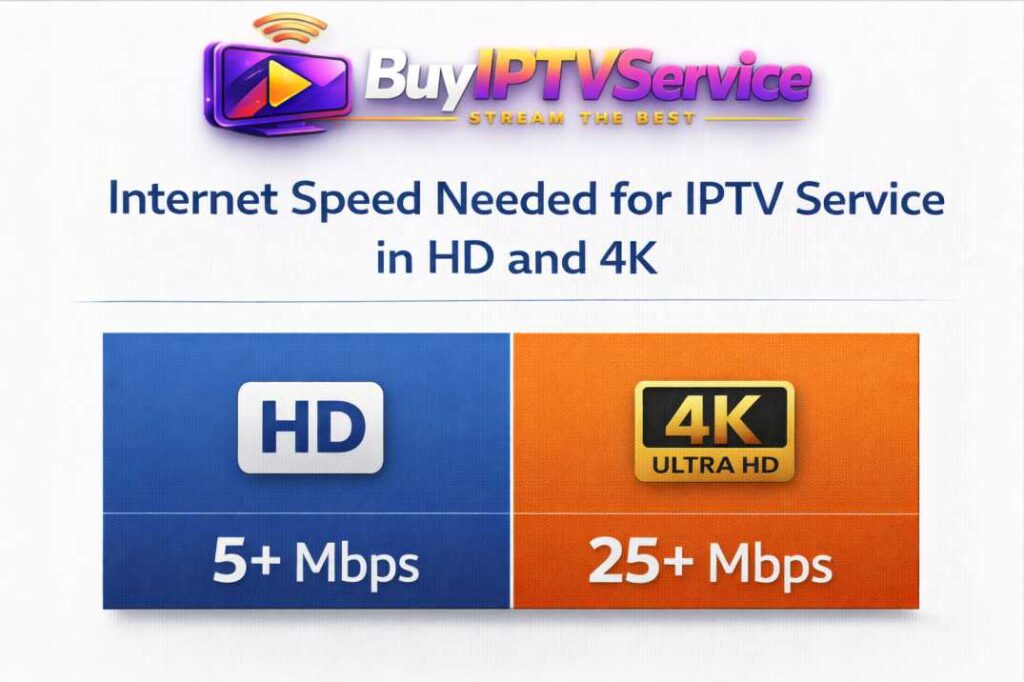
| Video Resolution | Minimum Sustained Speed | Recommended Speed (Multi-Device) | Max Tolerable Latency / Ping | Max Packet Loss |
| Standard Definition (SD / 480p) | 5 Mbps | 15 Mbps | < 100 ms | < 2% |
| High Definition (HD / 1080p @ 30 FPS) | 12 Mbps | 30 Mbps | < 60 ms | < 1% |
| Full HD (FHD / 1080p @ 60 FPS) | 20 Mbps | 50 Mbps | < 40 ms | < 0.5% |
| 4K Ultra HD (UHD / 2160p @ 60 FPS) | 35 Mbps | 100 Mbps | < 25 ms | 0% |
Network Optimization Best Practices:
- Prioritize Wired Ethernet Over Wi-Fi: Streaming 4K HEVC payloads over 2.4 GHz Wi-Fi introduces radio interference and packet loss. Use a direct Cat6 Ethernet cable or a dedicated 5 GHz / Wi-Fi 6 wireless band.
- Configure Custom DNS Resolvers: Default ISP DNS servers frequently suffer from slow record lookup speeds or aggressive CDN routing filters. Switching your router or streaming box to public DNS resolvers such as Cloudflare (
1.1.1.1and1.0.0.1) or Google (8.8.8.8and8.8.4.4) reduces initial stream connection times. - Audit Local Buffer Allocation: If your player allows custom buffer cache sizing, set the playback buffer to Medium (2000–5000 ms). This prevents micro-stuttering during brief network spikes without introducing significant channel-switch latency.
3. Account Delivery: Xtream Codes API vs. Static M3U Playlists
When provisioning access, providers typically deliver credentials via Xtream Codes API or Raw M3U Playlists. Understanding the difference is crucial for device performance and guide management.
Xtream Codes API (Recommended)
Xtream Codes connects directly to the server’s backend database using a structured format:
- Server URL / Base URL:
[http://example-domain.com](http://example-domain.com):port - Username:
UniqueUserIdentifier - Password:
AlphaNumericKey
Advantages: Separates Live TV, Movies (VOD), and Series into distinct API requests, drastically reducing memory consumption on streaming sticks. It also auto-syncs the Electronic Program Guide (EPG) without requiring secondary XMLTV URLs.
Static M3U8 Playlist Links
A single .m3u or .m3u8 text file containing thousands of channel lines, channel logos, and streaming URLs.
Disadvantages: Large playlists (exceeding 20,000 lines) can crash low-RAM streaming sticks (such as older Fire TV Sticks or budget Android TV boxes) during the initial parsing phase.
4. Hardware Decoder Support and Player Compatibility
An IPTV service is only as reliable as the application and hardware executing the stream decoding. Ensure your target devices support hardware-accelerated video decoding:
- Dedicated Streaming Sticks / Boxes: Android TV devices, Fire OS hardware (Fire TV Stick 4K Max), and Apple TV 4K utilize dedicated SoC hardware decoders capable of decoding HEVC 10-bit streams natively.
- Player Software Integration: Use dedicated IPTV decoders (such as TiviMate, IPTV Smarters Pro, or iMPlayer) that allow switching between Hardware (HW) and Software (SW / VLC-based) decoders depending on stream codec compatibility.
- Smart TV Native Operating Systems (Samsung Tizen / LG webOS): Smart TV app stores have stricter memory limits. If you stream primarily through built-in TV apps, verify that the service provides lightweight, compressed playlist outputs to avoid out-of-memory crashes.
5. The 6-Point Technical Buyer’s Checklist
Before committing to a long-term plan, use this checklist to evaluate trial streams:
- Verify Auto Frame Rate (AFR) Support: Does the stream switch refresh rates dynamically (e.g., 50 Hz for European broadcasts, 59.94/60 Hz for North American sports) to eliminate motion judder?
- Test Peak-Hour Server Load: Run performance tests between 7:00 PM and 10:00 PM local time during major live broadcasts to assess CDN load balancing.
- Inspect EPG (XMLTV) Data Freshness: Confirm program schedule metadata populates accurately across major broadcast networks with correct UTC time-offset synchronization.
- Evaluate Multi-Connection Policies: Check whether account credentials support simultaneous streams on different IP addresses or if connections are locked to a single home network.
- Check Customer Support SLAs: Ensure technical support is accessible via ticketing systems or direct messaging for swift server-side troubleshooting.
- Look for Flexible Term Subscriptions: Reliable platforms offer transparent pricing options with monthly or quarterly billing options rather than locking users into inflexible multi-year contracts.
Select Your Streaming Platform
Choose direct subscription access or explore our dedicated entertainment streaming portal.
Frequently Asked Questions
What is the primary difference between an IPTV service and an IPTV player?
An IPTV service provides the stream feeds, server infrastructure, and content playlists. An IPTV player (such as TiviMate or IPTV Smarters Pro) is client software installed on your hardware that parses, decodes, and displays those streams. Players do not provide content on their own.
Why does a 4K IPTV stream buffer even with high internet speed?
Buffering is commonly caused by local Wi-Fi packet loss, ISP throttling, suboptimal DNS routing, or player-side software decoding bottlenecks rather than raw download bandwidth. Using Ethernet and custom DNS resolvers (such as Cloudflare 1.1.1.1) resolves most stream stutters.
How does the Xtream Codes API improve streaming speed?
Xtream Codes API indexes Live TV, VOD, and Series into modular server requests. Unlike raw M3U playlists that force your device to load tens of thousands of lines at once, Xtream Codes loads only requested categories, conserving device RAM.
Is an external hardware streaming stick better than a Smart TV app?
Yes. Dedicated hardware like the Apple TV 4K or Fire TV Stick 4K Max features faster processors, larger RAM buffers, and superior video codec support compared to native Smart TV platforms (e.g., Samsung Tizen or LG webOS), resulting in faster channel zapping and fewer crashes.