
What Is IPTV? A Beginner’s Guide for U.S. Viewers in 2026
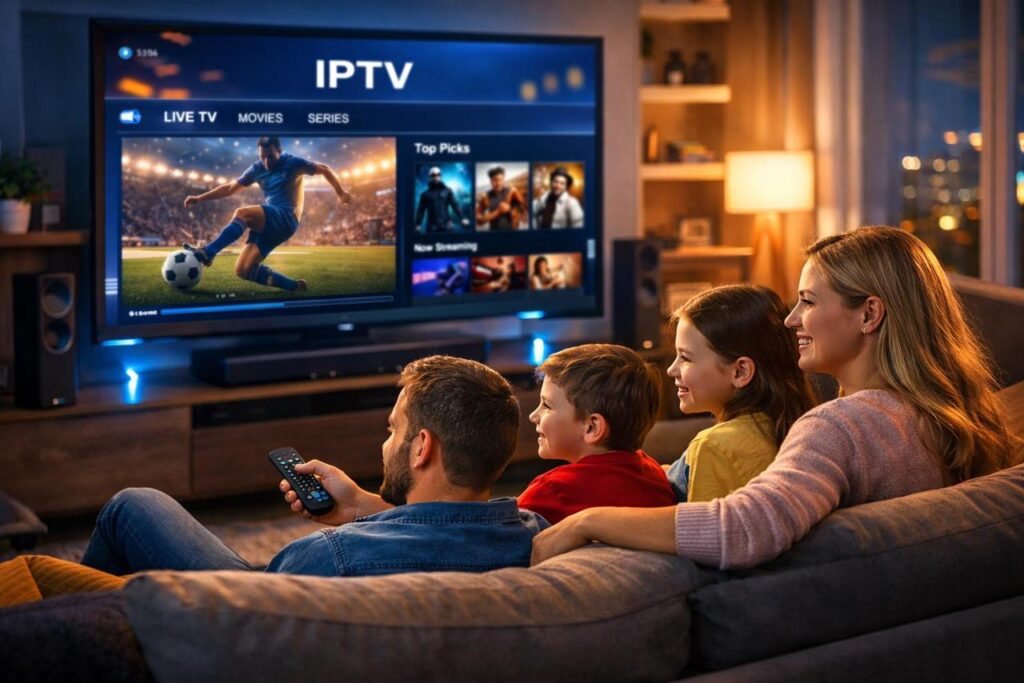
If you’re searching what is IPTV USA 2026, the simple answer is this: IPTV stands for Internet Protocol Television, which means TV content is delivered through IP networks instead of traditional broadcast, cable, or satellite signals. In practical terms, video is stored or prepared on servers, then sent to your device as a stream of data packets over the internet or a managed IP network.
That matters because IPTV gives viewers a more flexible way to watch content. Instead of being tied only to a fixed schedule, users can often access live TV, catch-up content, and video on demand from connected devices like smart TVs, streaming boxes, smartphones, tablets, and set-top boxes. Technically, IPTV is usually associated with controlled or managed network delivery, while broader streaming services often run as OTT services over the public internet.
Table of Contents
What is IPTV?
At its core, IPTV is just television delivered using internet protocol. The “IP” part refers to the same networking system used to route data across the internet. That means your TV content is delivered much like other online data: it is broken into packets, routed to the right destination, and played back on your device.
For the average viewer, IPTV feels modern and convenient. You open an app or service, choose a channel or show, and start watching. Behind the scenes, the system is doing much more than traditional TV: it is managing digital delivery, user requests, content playback, and device compatibility in real time.
To discover a modern IPTV experience, visit https://buyiptvservice.online/
How does IPTV work?
IPTV works in a few simple steps.
First, the TV channels or video content are collected from content sources. Next, the content is encoded into a digital format that can be delivered online. Then it is stored or prepared on servers. When the viewer presses play, the service sends that video stream across an IP network to the selected device. Finally, the app, smart TV, or set-top box decodes the stream and displays it on screen.
Because streaming sends media continuously from server to client, the player usually buffers a few seconds ahead to keep playback smooth. In many IPTV environments, multicast technology can also help distribute one stream to many viewers efficiently, which helps conserve bandwidth for live channels.
Main types of IPTV services
Most IPTV platforms are built around three main content formats.
Live TV lets users watch channels in real time, similar to traditional television.
Time-shifted TV allows viewers to replay recently aired content, often called catch-up TV.
Video on Demand (VOD) gives users access to movies, series, or programs whenever they want to watch.
This combination is one of IPTV’s biggest advantages. Instead of choosing between scheduled programming and on-demand viewing, users can enjoy both in one service.
IPTV vs cable, satellite, and streaming
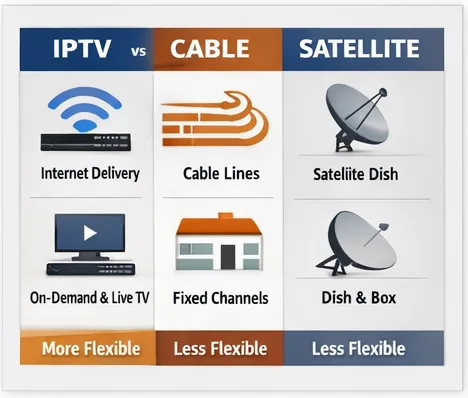
The biggest difference between IPTV and traditional TV is the delivery method. Cable and satellite depend on dedicated broadcast infrastructure, while IPTV uses IP-based delivery. Compared with general streaming, IPTV is often designed around a more managed environment, which can offer tighter control over quality and service consistency.
For viewers, that often translates into a better user experience: app-based access, multi-device viewing, interactive program guides, and more control over when and how content is watched. For businesses, it creates a stronger digital model that supports flexible packages, account-based access, and easier service updates.
What do you need to use IPTV at home?
Getting started with IPTV is usually simple. In most cases, you need a stable internet connection, a compatible device, and access to an IPTV app or service. That device might be a smart TV, streaming stick, phone, tablet, laptop, or IPTV box connected through your router or Wi-Fi.
Connection quality still matters. Streaming works by sending content continuously in small chunks, so poor bandwidth or unstable Wi-Fi can lead to buffering, delays, or lower picture quality.
Is IPTV legal and safe in the U.S.?
IP-delivered video operates within a real U.S. regulatory environment. The FCC notes that a large portion of IP-delivered video programming is covered by captioning and accessibility rules, showing that internet-delivered video is part of an established communications framework in the United States.
For your website, that means your brand positioning should stay clear and professional: emphasize licensed content, reliable uptime, transparent support, and device compatibility. That builds trust and keeps the article useful for beginners without drifting into risky territory.
Why IPTV matters in 2026
In 2026, people want TV that fits the way they already live online. They expect content to work across devices, load quickly, and give them more control than old-school TV ever did. IPTV answers that need by blending the familiarity of television with the flexibility of internet delivery.
For first-time visitors to your website, this topic is ideal because it solves their first question before they move on to harder buying questions like pricing, setup, legal concerns, and provider comparisons.
Final thoughts
So, what is IPTV? It is television delivered over internet protocol networks rather than traditional broadcast systems. How does it work? Content is encoded, stored or prepared on servers, then streamed to a connected device whenever the user selects a channel or program.
For beginners, IPTV means more flexibility, more device choice, and a more modern viewing experience. For your business, it is a strong top-of-funnel SEO topic that can attract users who are just starting to learn about internet-based TV.
FAQ section
Is IPTV the same as Netflix?
Not exactly. Netflix is mainly an OTT video-on-demand service over the public internet, while IPTV usually refers to IP-delivered television services that may include live channels, catch-up TV, and VOD.
Do you need a satellite dish for IPTV?
No. IPTV uses IP network delivery rather than satellite dish transmission.
Why does IPTV buffer?
Buffering happens because the player loads a few seconds of content ahead of playback. Slow internet, congestion, or weak Wi‑Fi can make buffering worse